

In today’s fast-paced digital world, your business e-mails are often the first impression you make. In fact, over 347 billion e-mails are sent daily as of 2025, according to Statista, and that number continues to rise. With inboxes overflowing, crafting a clear, professional message has never been more important.
These Business E-mail Tips will help you write messages that grab attention, maintain professionalism, and drive action—whether you’re corresponding with clients, colleagues, or executives. Let’s dive into the art of writing business e-mails that truly make an impact.
Why Effective Business E-mails Matter
A well-written business e-mail does more than deliver information—it builds trust and credibility. When you write clearly and respectfully, your recipients are more likely to respond promptly and positively.
Good communication also promotes collaboration, reduces misunderstandings, and strengthens professional relationships. Simply put, mastering business e-mail etiquette can directly influence your career growth and business success.
Understanding the Core Elements of a Professional Business E-mail
Every effective business e-mail includes four essential parts:
| Element | Purpose | Example |
| Subject Line | Captures attention and sets context | “Project Update: Q3 Marketing Strategy” |
| Greeting | Establishes tone and respect | “Dear Mr. Johnson,” or “Hi Sarah,” |
| Body | Communicates key message | Concise and structured in short paragraphs |
| Signature | Adds professionalism | Name, Title, Company, Contact Details |
Mastering these components ensures your e-mail looks polished, purposeful, and easy to read.
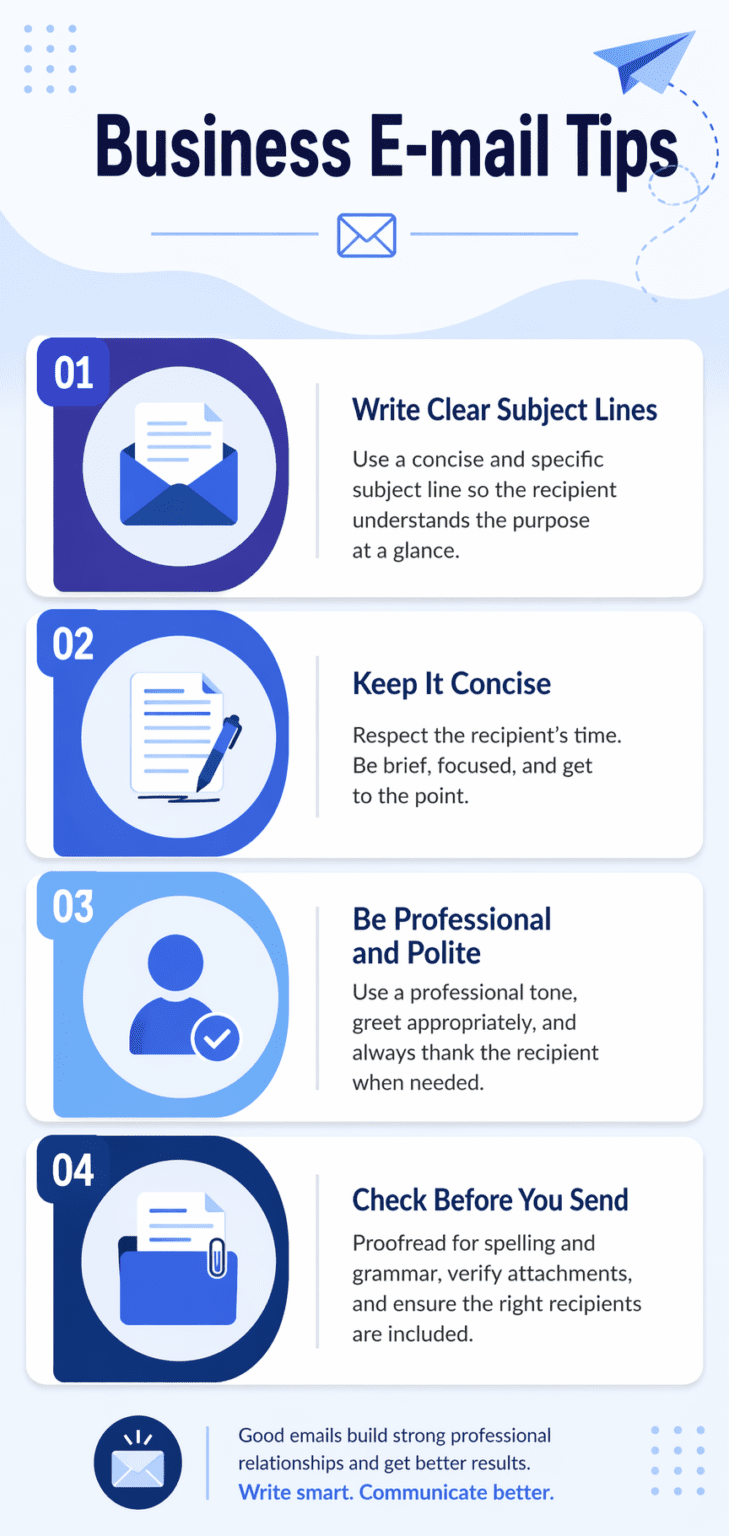
Tip #1: Write Clear and Concise Subject Lines
Your subject line determines whether your e-mail gets opened. It should be specific, short, and relevant. Avoid vague phrases like “Important” or “Please Read.”
✅ Good Example: “Meeting Agenda – Client Onboarding Review (Nov 12)”
❌ Bad Example: “Follow-Up”
Use keywords that instantly convey your message and urgency. Remember, clarity beats cleverness in professional settings.
Tip #2: Use a Professional Tone Without Sounding Robotic
A professional tone doesn’t mean sounding stiff. Strike a balance between formality and friendliness. Use simple language, avoid jargon, and always sound approachable.
Instead of writing,
“I hereby request a confirmation of your attendance,”
say,
“Could you please confirm your attendance?”
This subtle difference keeps the tone polite yet natural.
Tip #3: Structure Your Email for Easy Reading
Long walls of text can overwhelm readers. Break your e-mail into short paragraphs with clear breaks. Use bullet points or numbered lists to organize complex information.
Example:
- Purpose: Quick team update
- Action: Review attached file
- Deadline: Submit feedback by Friday
A structured layout helps busy professionals grasp key details faster.
Tip #4: Keep It Short, But Not Too Short
Conciseness is key, but don’t omit essential context. A business e-mail should ideally stay within 50–125 words, according to Boomerang’s research, which found that emails in this range get 50% higher response rates (source).
Say what’s necessary and end with a clear call-to-action (CTA). Avoid unnecessary greetings or filler sentences.
Tip #5: Proofread Before Hitting Send
A single typo can harm your professional image. Always proofread for spelling, grammar, and tone. Tools like Grammarly or Hemingway can help refine clarity and tone consistency.
Also, double-check:
- Recipient’s name and e-mail address
- Dates and times
- Attached documents
A two-minute review can save you from embarrassing corrections later.
Tip #6: Personalize Without Being Too Casual
Personalization adds warmth, but boundaries matter. Use the recipient’s name and reference past interactions to show attentiveness.
Example:
“Hi John, thanks for your feedback on the proposal last week.”
Avoid slang or emojis unless you have a friendly rapport with the recipient.
Tip #7: Master the Art of Follow-Up
Following up shows initiative—but timing is key. Wait 2–3 business days before sending a reminder. Keep it polite and professional.
Example:
“Hi Alex, I just wanted to check if you had a chance to review my previous e-mail regarding the contract draft.”
Avoid being pushy; sometimes, a gentle nudge is all that’s needed.
Tip #8: Avoid Common E-mail Mistakes
Here are some common pitfalls to avoid:
- Writing long, unfocused messages
- Forgetting attachments
- Using “Reply All” unnecessarily
- Sending emotionally charged e-mails
If you’re upset, wait before replying. Professionalism often means pausing before pressing send.
Tip #9: Manage Attachments and Links Properly
When including attachments:
- Mention them in the e-mail body
- Keep file names descriptive (e.g., “Q4_Report_2025.pdf”)
- Use cloud storage links for large files
Pro tip: Attach files before typing your message to avoid forgetting them.
Tip #10: Use an Appropriate Signature Block
Your e-mail signature is your digital handshake. Keep it clean and professional:
Example:
Best regards,
Jane Smith
Marketing Manager | BrightEdge Solutions
📞 (555) 123-4567 | 🌐 www.brightedge.com
Avoid clutter like inspirational quotes or images that can distract from your message.
Advanced Business E-mail Etiquette
Timing Your Emails
Avoid sending e-mails outside working hours unless urgent. Studies show open rates are highest between 10 a.m. and 2 p.m. on weekdays.
Using CC and BCC Wisely
Use CC for visibility and BCC to protect privacy. Overusing them can lead to confusion or data mishandling.
Email Security Best Practices
Cyber threats are real. Always verify sender addresses before clicking links. Use strong passwords and enable two-factor authentication (2FA).
Never share sensitive information like passwords or financial data via e-mail unless encrypted.
Tools to Improve Business E-mail Writing
| Tool | Purpose |
| Grammarly | Grammar and tone correction |
| Boomerang | Schedule and follow-up automation |
| Crystal | Personality-based writing suggestions |
| Canva | Design branded e-mail signatures |
These tools can help make your e-mails more effective, professional, and engaging.
Common E-mail Scenarios and How to Handle Them
| Scenario | Approach |
| Requesting Information | Be clear and polite with your deadline. |
| Apologizing | Take responsibility, keep it short, and offer a solution. |
| Rejecting Proposals | Stay courteous and professional. |
| Thanking Clients | Express genuine appreciation and future interest. |
Handling different scenarios gracefully builds stronger relationships.
The Future of Business Communication: Beyond E-mails
While e-mail remains vital, tools like Slack, Teams, and AI-driven chat systems are transforming business communication. However, e-mails still dominate for formal communication, client interactions, and documentation.
Learning to write them effectively ensures you stay relevant in a fast-evolving workplace.
Conclusion
Writing professional e-mails isn’t rocket science—it’s a skill built on mindfulness, clarity, and empathy. Following these Business E-mail Tips will make your messages more impactful and your communication more respected.
Remember, every e-mail you send represents you and your organization—make it count.
FAQs
1. What’s the ideal length of a business e-mail?
Between 50–125 words for best engagement and readability.
2. How can I make my subject lines more effective?
Be specific, use action-oriented words, and avoid vague terms.
3. Is it okay to use emojis in business e-mails?
Only in informal contexts or when you know the recipient well.
4. How do I handle delayed responses?
Politely follow up after 2–3 business days without sounding impatient.
5. Should I always include a signature?
Yes, a clear signature enhances professionalism and trust.